Meet Pulse, your AI construction assistant Explore

Health & Safety · Incident reports

Report and track incidents to closure

Capture the incident where it happened, notify the right people the moment it is logged and track the investigation and every corrective action through to a closed record.

Live on iOS, Android and web · Works offline on site

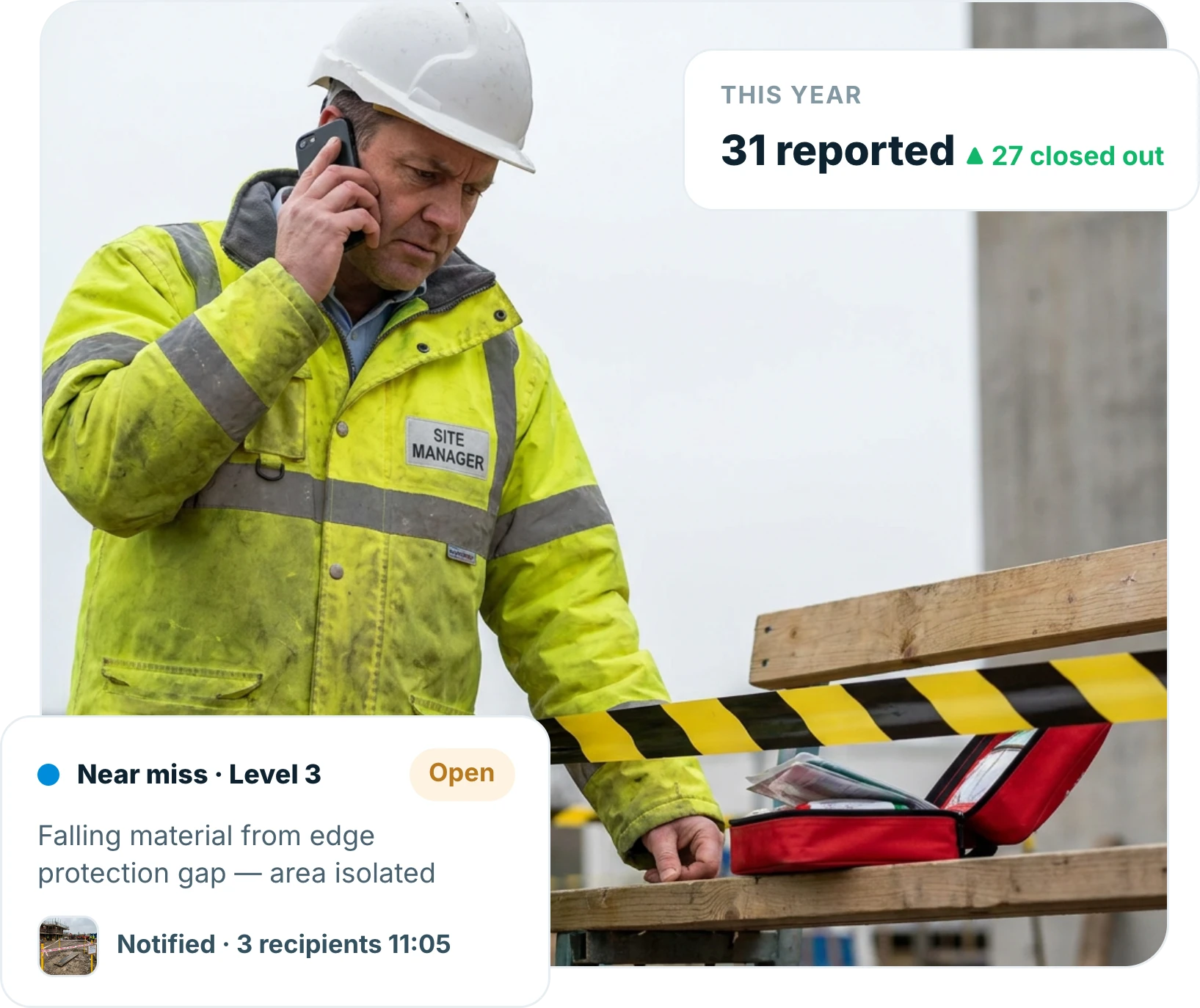
Site manager recording an incident report on a phone beside a taped-off area on a construction site
Trusted by contractors and teams across the UK
Report

Logged in minutes, on site

Record what happened, where and to whom on a phone, with photographs, while the detail is still accurate.

  • Incidents and near misses on one form
  • Photographs and location attached
  • Completed at the scene, not the office
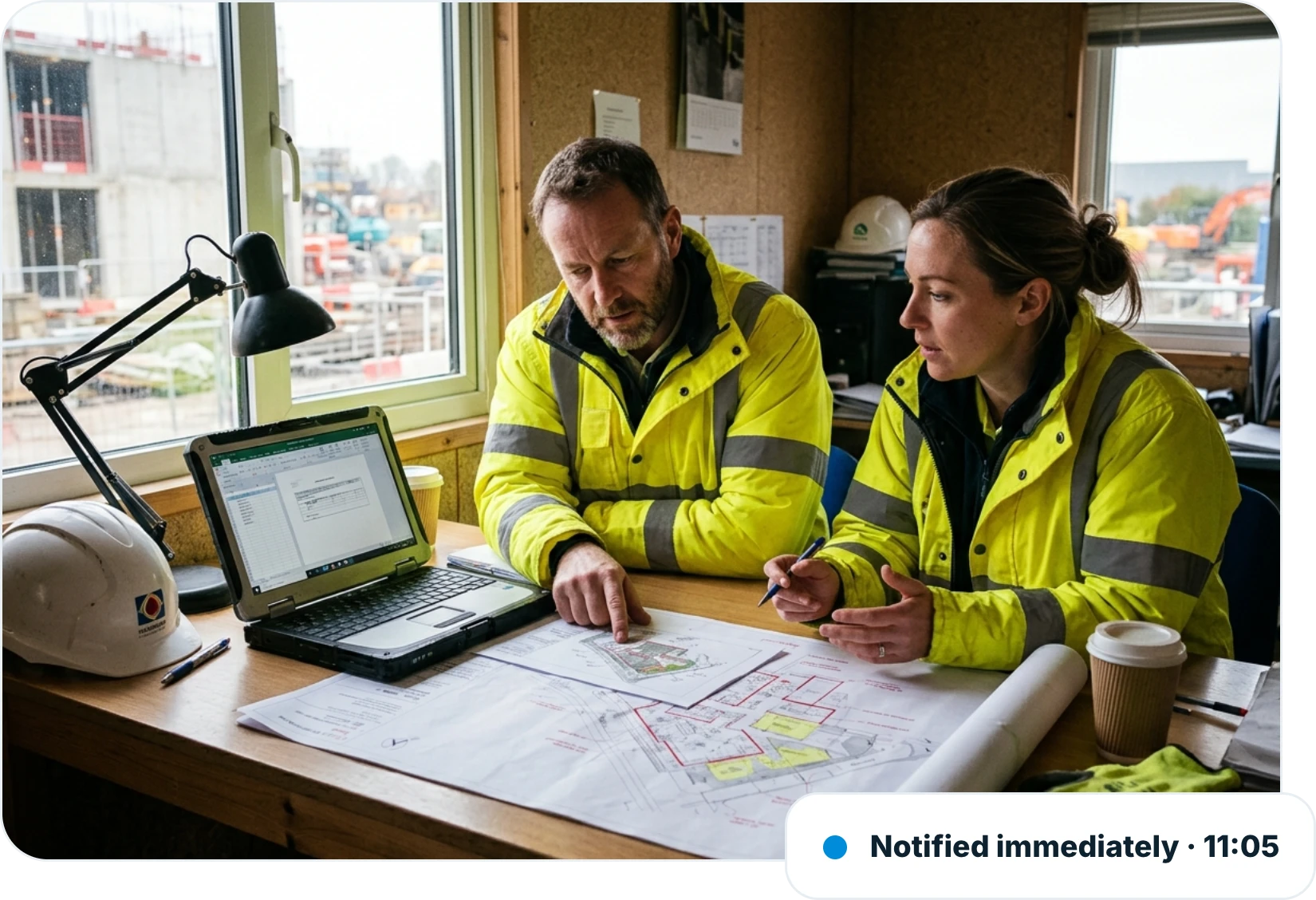
Two construction managers reviewing a safety investigation at a site cabin table, with the incident notified immediately at 11:05
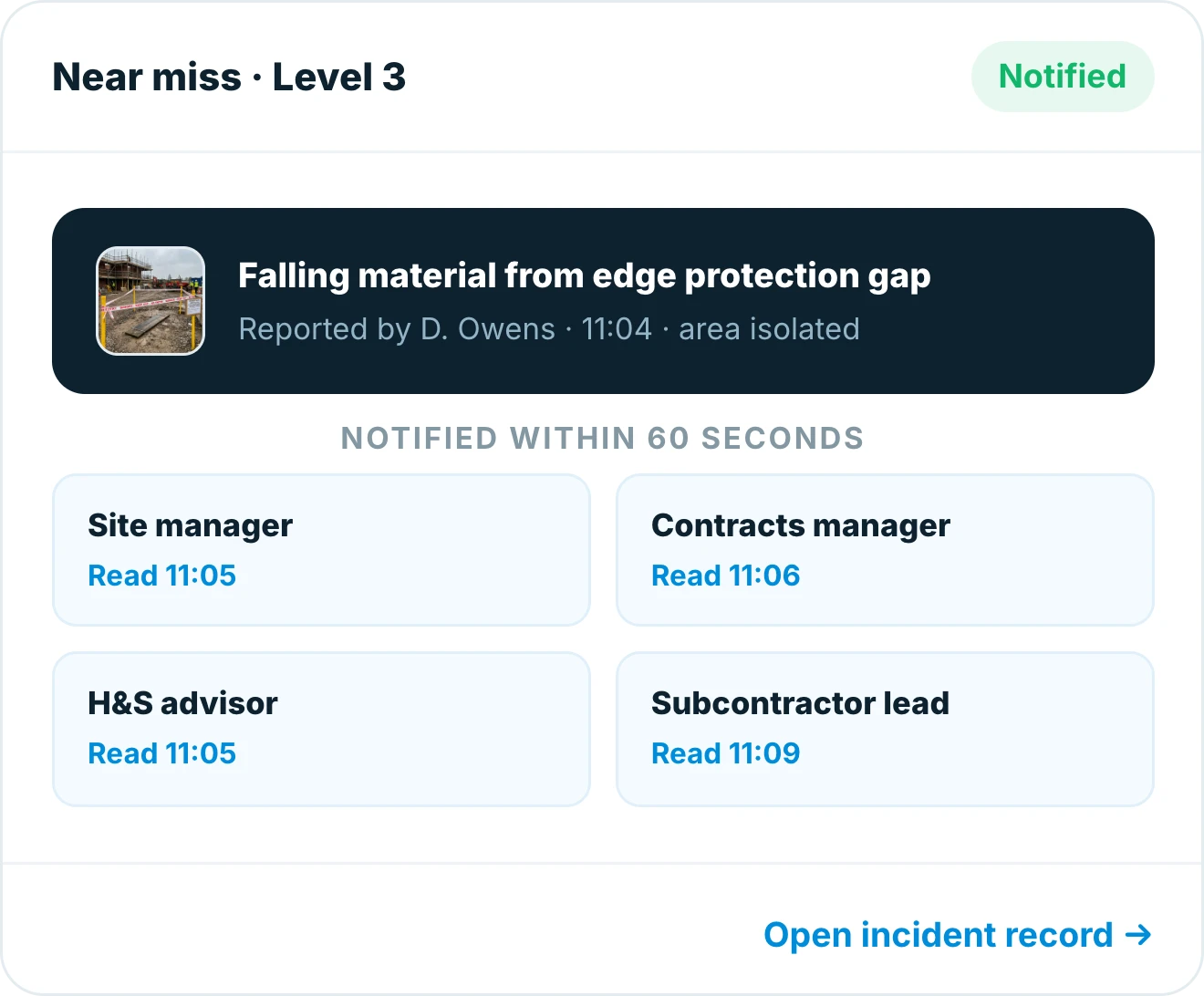
Near miss report in Insite for level 3, falling material from an edge protection gap, notified within 60 seconds and read by four recipients
Notify

The right people know immediately

The moment an incident is logged the people who need to act are notified, with no ringing round and no delay.

  • Immediate notification by severity
  • Escalation to management built in
  • Nothing waiting in an inbox until Monday
Investigate

The investigation lives with the report

Statements, findings, root cause and corrective actions all sit against the original record rather than in separate documents.

  • Findings and root cause recorded
  • Corrective actions with owners and dates
  • One record, not five documents
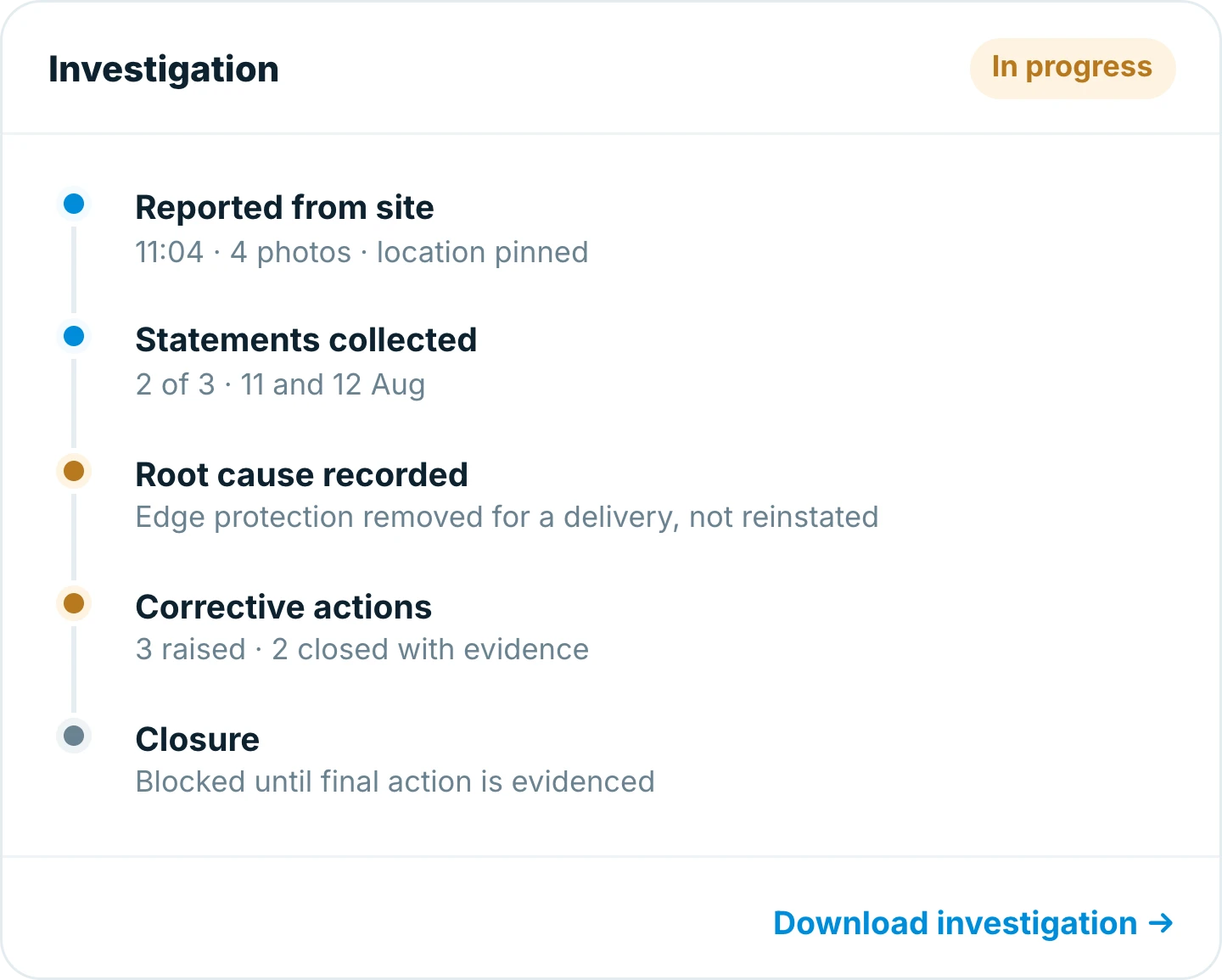
Investigation record in Insite showing the report, statements collected, root cause and three corrective actions, with closure blocked until the last is evidenced
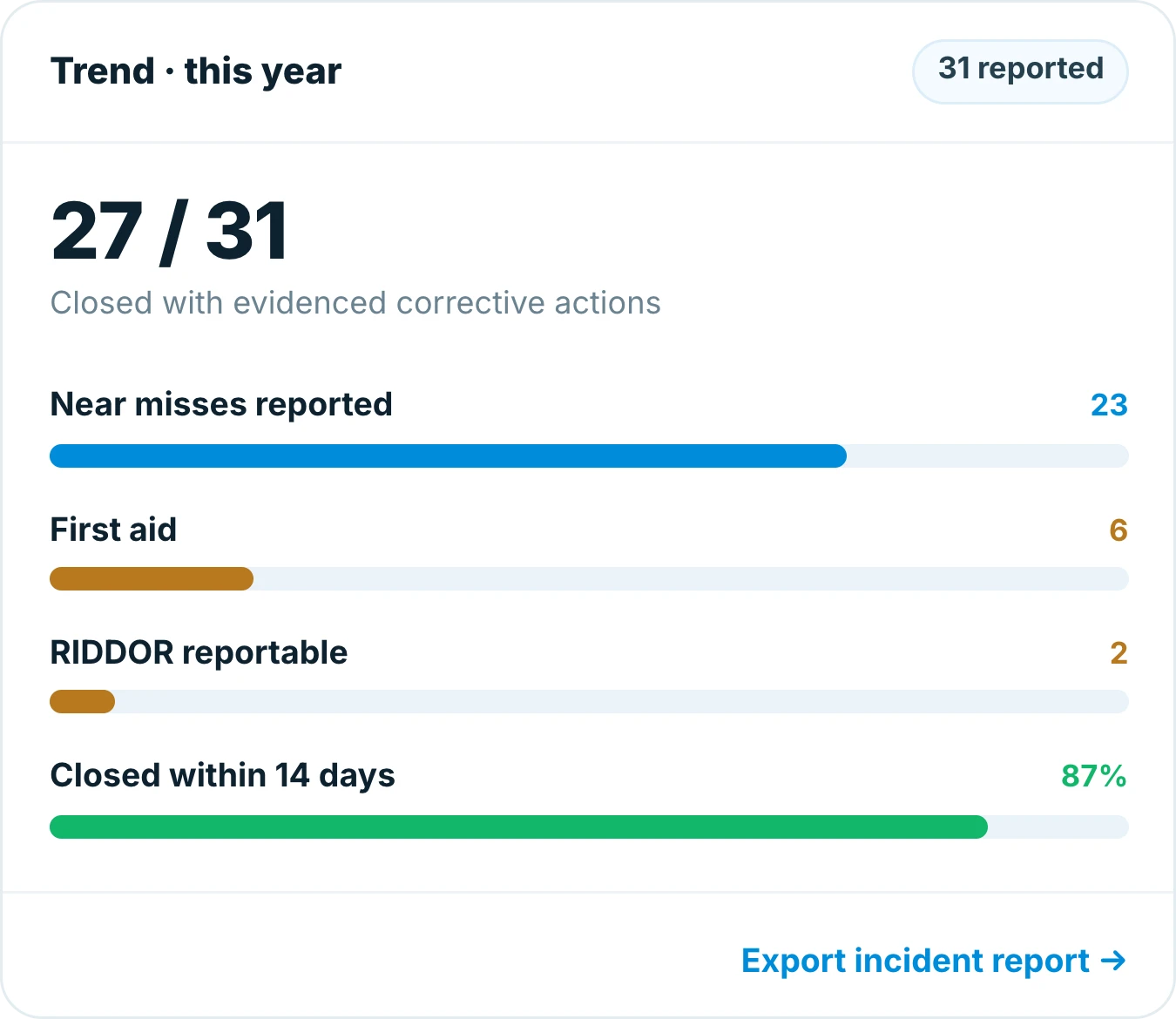
Incident trend in Insite for the year, 27 of 31 closed with evidenced actions, split between near misses, first aid and RIDDOR reportable
Close out

Closed when the actions are, not before

An incident stays open until every corrective action is evidenced, so lessons turn into changes.

  • Actions closed with evidence
  • Overdue actions surfaced automatically
  • Trends visible across sites
Why teams switch

Built for the way site teams actually work

Incident reporting in Insite happens at the scene, notifies the right people straight away and does not close until the actions are evidenced.

Nothing on a paper form

Logged at the scene, in minutes.

Reported while it is fresh

Detail captured before it fades.

Immediate notification

No incident waiting in an inbox.

Actions with owners

Every corrective action is named.

Works with no signal

Report anywhere, sync back in range.

Trends visible

Patterns across sites, not per folder.

5 min
average time to log an incident on site
Immediate
notification to the people who must act
87%
of incidents closed with evidenced actions

Frequently asked questions

Incident reporting software records accidents and near misses on site and tracks the investigation to closure. With Insite the report is logged on a phone at the scene, the right people are notified immediately, and corrective actions are evidenced before it closes.


Yes. Near misses are reported on the same form, which is what makes trends visible before an incident becomes an injury.

Notification is by severity, so the right site and management contacts are told the moment the report is submitted rather than at the next meeting.

Statements, findings, root cause and corrective actions sit against the original report, so the whole record is in one place with dates and owners.

Yes. Insite works offline, so an incident can be reported at the scene with no signal and syncs automatically when you are back in range.

Insite runs on iOS, Android and the web and works offline on site, so the same incident record is available to everyone from phone to office.

Ready to get started?

Replace the spreadsheet before the next handover

  • Your trackers, built in an afternoon
  • Training that takes one toolbox talk
  • Live on site in days, not months
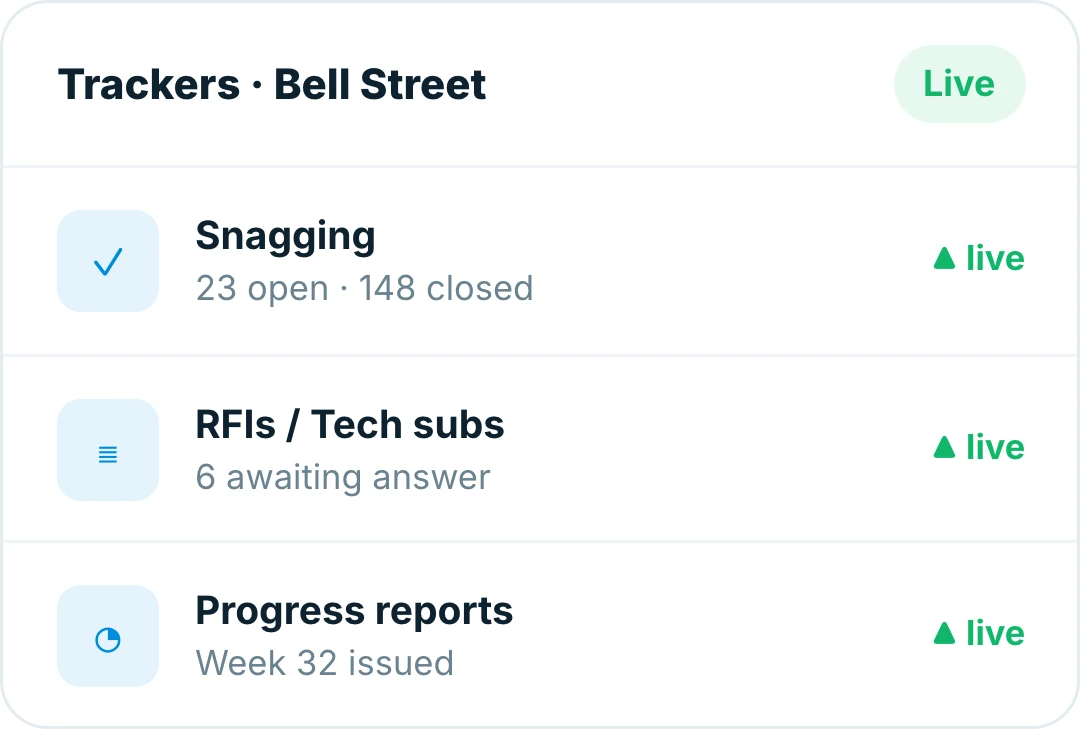
Insite trackers for a live site, with snagging, RFIs and progress reports running side by side