Meet Pulse, your AI construction assistant Explore

Design Teams

Answer the site query without the site visit

Insite puts photographs, inspections and marked-up drawings from the work face in front of the design team, so queries are answered from evidence and the current revision is the one in everybody’s pocket.

Web, iOS and Android · Same record as the site team

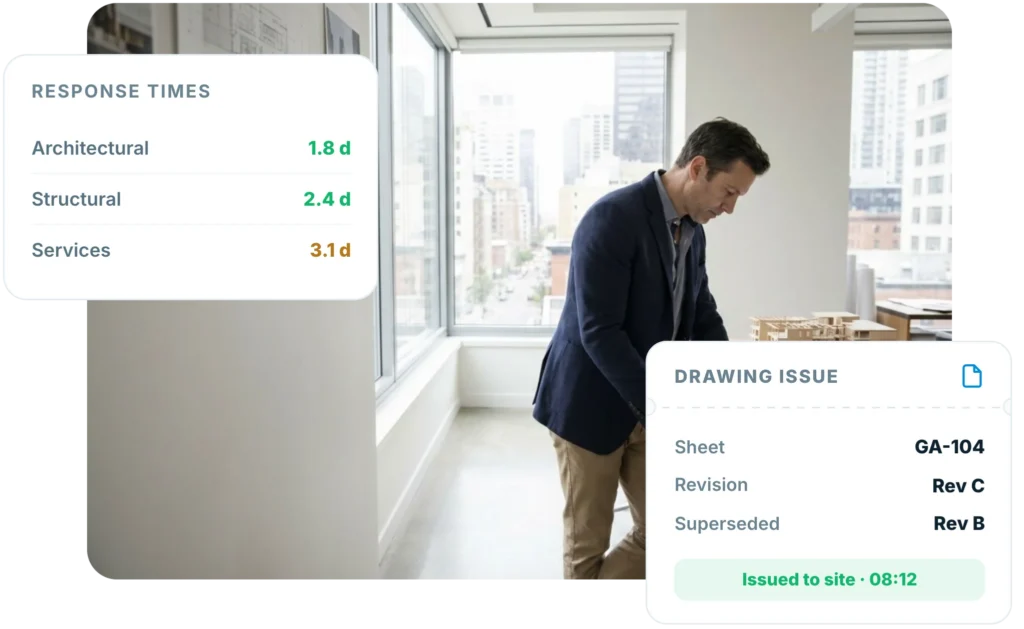
Design team reviewing site photographs and inspections in Insite, with RFI response times by discipline and drawing GA-104 issued to site at revision C
Trusted by design teams and consultants across the UK
The reality

The drawing is right. The information is three weeks old.

Design teams answer questions about a building they cannot see, from photographs sent by whoever happened to have a phone. The main contractor has the record; you get the summary.

You cannot see what was actually built

Queries arrive as a paragraph and a blurry photo, so the first answer is usually a request for another photo.

Superseded drawings stay on site

A revision is issued and the old sheet is still pinned up in the cabin two weeks later.

Response times become an argument

Without a dated register, who held whom up is a matter of opinion and email archaeology.

As-built information is reconstructed

At the end of the job the record is assembled from memory rather than captured as it happened.

2 days

median RFI response, dated and visible

100%

of site teams on the current revision

62%

fewer defects reaching the client inspection

Design intent

See what was built, not what was described

Inspections completed at the work face arrive with photographs against every line, so you can check design intent without booking a visit or waiting for a summary.

Photo evidence against every check line

Located to grid, level and drawing

Available the moment it is submitted

Site inspection completed at grid C4 in Insite, with photographs located to grid and level for the design team to check design intent
Insite RFI register showing queries by reference and status, with a median design response of two days
RFI register

One register, and the clock is visible

Every query dated on receipt, assigned to a discipline and tracked to a response, so the programme conversation starts from a register rather than an inbox.

Dated on receipt, not on reply

Assigned by discipline

Response time visible to every party

Answering from the desk

The evidence arrives with the question

Photographs, location and the drawing reference come attached, so most queries are answered from the studio. The subcontractor raising it sees the answer at the same moment the contractor does.

Photo, grid reference and level attached

Answered once, visible to everyone

No parallel email chain

Design manager answering an Insite RFI from the studio, with photographs and a grid reference attached and no site visit required
Insite drawing register for level 3 showing revision C issued to site, revision B superseded and read receipts for 23 of 25 site users
Revision control

The current revision, in every pocket

Issue the revision and it is on site immediately, with the superseded sheet withdrawn so nobody builds from last month’s drawing.

Issued straight to the site app

Superseded revisions withdrawn automatically

Who opened what, and when, is recorded

Site visits

Arrive knowing what happened since last time

Walk the job with the diary, the open queries and last week’s photographs already on the tablet, alongside the contractor’s own progress record.

Everything since your last visit, in one view

Comments recorded against the location

Actions issued before you leave the floor

Architect walking a project with Insite on a tablet, showing 148 dated and located photographs captured since the last site visit
Insite technical submittal register showing curtain wall, balustrade and screed items with status A, B and in review, and 88 percent reviewed within five working days
Submittals

Technical submittals reviewed in one place

Material and product submittals arrive against the job with a status, a reviewer and a date, so nothing waits for a chase-up email.

Status A, B or C recorded against the item

Reviewer and date held automatically

Resubmissions tracked to the original

As-built record

The as-built record, captured as it happens

Inspections, photographs and sign-offs already filed against the location, so the information handed to the M&E team and the client is real rather than reconstructed.

Captured during construction, not after

Filed to plot, level or asset

Exported as one structured pack

Insite as-built record for level 3 showing 318 inspections located to grid, photographs against every hold point and two items awaiting designer sign-off
One system

Four products, one record

Design and site work from one record, so the answer to a question is never in a different system.

Pulse AI

Ask what changed on site this week and get an answer, not a photo album.

Workforce Management

See who is on site and what they are certified for before you specify the method.

Form Builder

Issue the inspection form your specification demands to every trade at once.

Documents & Drawings

The current revision, marked up where the issue is, in every pocket.

By role

One record, read five different ways

The same evidence serves the architect, the engineer and the principal designer.

Architect

Check design intent from the evidence.

Photographs against every inspection

Comment against the location, not the email

Design Manager

Hold the register, not the inbox.

Every query dated and assigned

Response times visible to all parties

Structural Engineer

Verify before it is covered up.

Hold points photographed pre-pour

Setting out evidenced to grid

Services Designer

Coordinate from what is installed.

Riser and plant photos located

Commissioning evidence in the same record

Principal Designer

Evidence the duty, do not describe it.

Design risk decisions recorded

Audit-ready trail per project

A week on the project

The design record keeps itself current

1
Monday · Issue

Revision issued straight to site

The new sheet lands in the site app and the superseded version is withdrawn automatically.

2
Tuesday · Query

RFI arrives with photographs attached

Located to grid and level, dated on receipt and assigned to the right discipline.

3
Thursday · Visit

Site walk against the live record

Everything captured since the last visit is on the tablet before you reach the gate.

4
Friday · Report

The register speaks for itself

Response times, open items and evidence are already in the report, not retyped into it.

“Using Insite makes our reporting faster, our records clearer, and our client communication more professional and consistent across every project.”

Andy Kelly · Managing Director, DECON

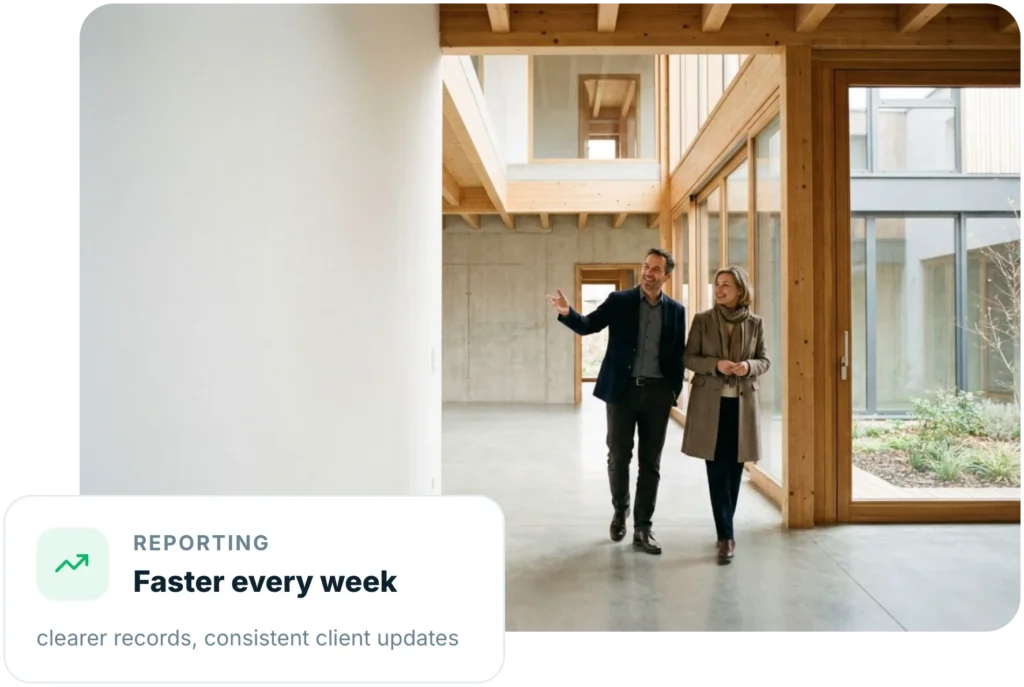
DECON project manager recording site information in Insite, with a monthly saving of over one thousand pounds from less admin and fewer site visits
Same record as the site team
Live in days, not months
Your drawing register, not a copy
Audit-ready design trail

Design from the evidence, not the description

Your templates and registers, configured for you

Access for the whole design team

Live on the project in days, not months

Insite design register showing seven open RFIs, three submittals and a two day median reply across architectural, structural and services disciplines

Frequently asked questions

What does Insite give a design team that a document system does not?
A document system holds what was issued. Insite holds what was built: inspections completed at the work face with photographs, located to grid and level, alongside the queries raised against them. The two together let you answer a question from evidence rather than description.
Can we issue drawing revisions to site through Insite?
Yes. Issue the revision and it lands in the site app immediately, with the superseded sheet withdrawn so nobody is working from last month's drawing. Read receipts record who opened which sheet and when, so you can evidence that the current information was in front of the trade.
How are RFIs tracked?
Every query is dated on receipt rather than on reply, assigned to a discipline and tracked through to a response, with photographs and a grid reference attached. Response times are visible to every party, so the programme conversation starts from the register rather than an inbox.
Do we need to be on site to use it?
No. The evidence arrives with the question: photographs located to grid and level, the drawing reference, and the inspection behind it. Most queries are answered from the studio, and when you do visit, everything captured since the last one is on the tablet before you reach the gate.
Does it handle technical submittals?
Yes. Material and product submittals sit against the job with a status of A, B or C, a named reviewer and a date. Resubmissions are tracked back to the original, so nothing waits on a chase-up email.
Who owns the record?
The project record belongs to whoever holds the account, and the design team works from the same record as the site team rather than a copy of it. Exports are available at any point, so the information is never locked in.
Does it help with as-built and O&M information?
Yes. Inspections, photographs and sign-offs are filed against the plot, level or asset as the work happens, then exported as one structured pack. The as-built information is captured during construction rather than reconstructed at the end of the job.
How long does it take to set up?
Days rather than months. Your templates and registers are configured for you, the app runs on iOS, Android and web, and most design teams start on one live project before rolling out across the rest.