Meet Pulse, your AI construction assistant Explore

Health & Safety · Monthly inspections

Routine safety checks, scheduled and logged

Every monthly inspection scheduled, completed on site with photo evidence and tracked to a closed action, so nothing is assumed done because it usually is.

Live on iOS, Android and web · Works offline on site

Health and safety officer inspecting scaffolding on a construction site with a tablet in hand
Trusted by contractors and teams across the UK
Scheduled

The inspection turns up on its own

Set the frequency once and the inspection appears for the right person on the right site, so nothing depends on someone remembering.

  • Recurring schedule per site
  • Assigned to a named inspector
  • Overdue inspections escalated
Safety officer checking a fire extinguisher and safety signage on a site hoarding, with the inspection scheduled and auto-assigned
Inspection schedule in Insite for August across all sites, with each monthly inspection auto-assigned to a date
On site

Completed where the risk is

Work through the inspection on a phone at the scaffold, the plant room or the gate, with a photo against anything that fails.

  • Your inspection, your wording
  • Photo evidence on every failure
  • Completed offline if there is no signal
Actions

Findings become actions, not a filed report

Every failure raises an action with an owner and a date, and the inspection is not closed until they are.

  • Action, owner and due date on each finding
  • Overdue actions surfaced automatically
  • Closed with photographic proof
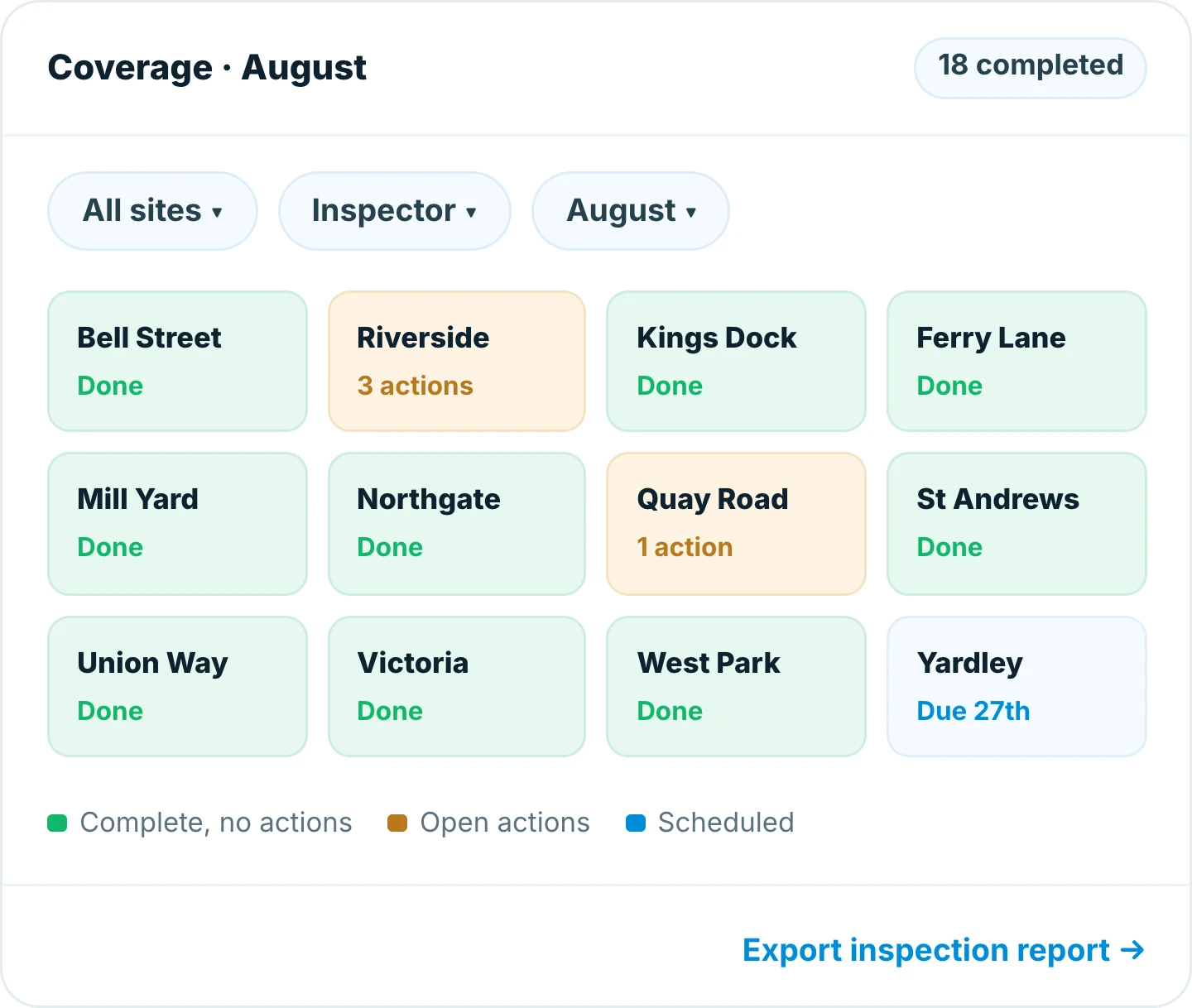
Coverage view in Insite for August, showing 18 inspections completed across twelve sites with open actions flagged at Riverside and Quay Road
Open actions in Insite for Riverside, listing a missing extinguisher, a loose scaffold tie and welfare hot water, each with a due date and photo
Assurance

Prove the routine to a client or an auditor

A complete, dated inspection history per site, available before anyone has to go looking for it.

  • Full history by site and month
  • Every inspector and date recorded
  • Exported as an inspection report
Why teams switch

Built for the way site teams actually work

Inspections in Insite are scheduled, completed on site and closed out with evidence. Nothing sits in a folder waiting to be believed.

Nothing left to memory

The schedule raises the inspection.

Completed at the risk

On site, not back at the desk.

Findings get owners

Every action has a name and a date.

Proof on close

A photo behind every closed action.

Works with no signal

Inspect anywhere, sync back in range.

Report in a tap

A dated history for any site.

100%
of scheduled inspections completed on time
95%
of actions closed with photo evidence
48 hrs
average time to close a safety action

Frequently asked questions

Inspection software schedules routine safety inspections, records them on site and tracks the findings to closure. With Insite the inspection is assigned automatically, completed on a phone with photo evidence, and every action has an owner and a due date.


Yes. Set the frequency and the inspector per site, and the inspection appears for the right person without anyone having to remember it.

It raises an action with an owner and a due date. Overdue actions are surfaced automatically, and an action is closed only with photographic proof.

Yes. Insite works offline, so inspections can be completed with no signal and sync automatically when you are back in range.

Yes. Every site has a full dated history by month, with the inspector and date on each record, and it exports as an inspection report for a client or an auditor.

Insite runs on iOS, Android and the web and works offline on site, so the same inspection record is available to everyone from phone to office.

Ready to get started?

Replace the spreadsheet before the next handover

  • Your trackers, built in an afternoon
  • Training that takes one toolbox talk
  • Live on site in days, not months
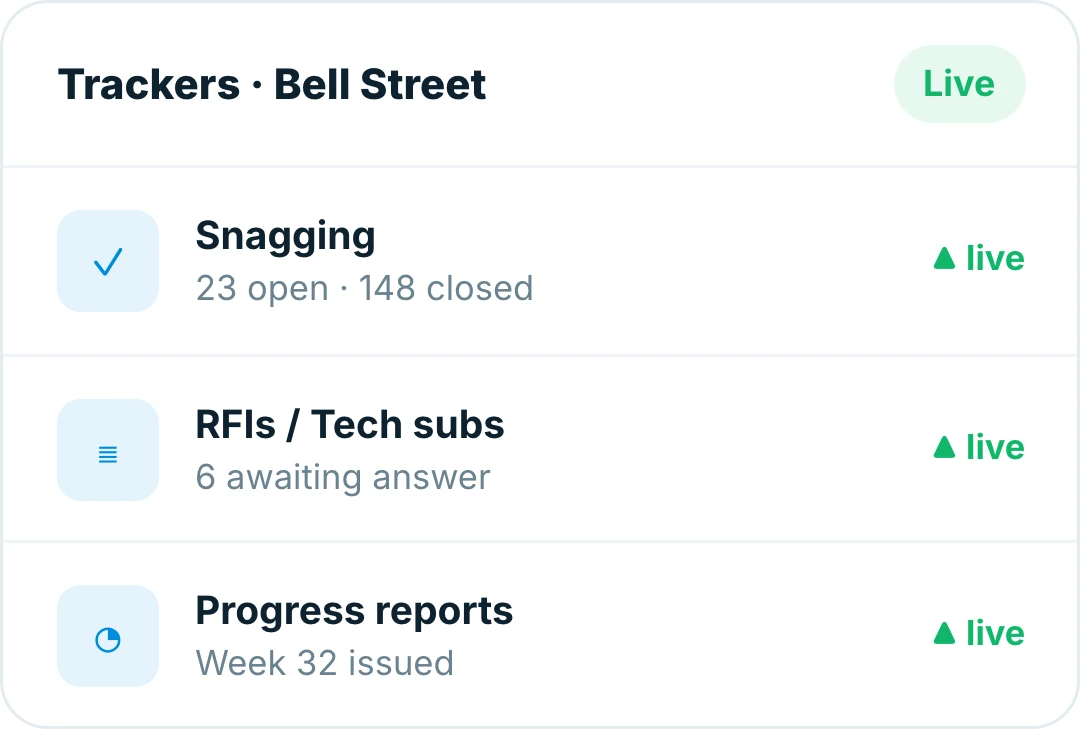
Insite trackers for a live site, with snagging, RFIs and progress reports running side by side