● Live on iOS, Android and web · Works offline on site
Trusted by contractors and teams across the UK
Checklists
Your checklists, not a generic form
Build the inspection you actually carry out, your wording, your order, your pass and fail criteria, and put it in every operative’s pocket.
Built to your own spec, no developer needed
The same check on every plot and every level
Updated once, live on every device
Evidence
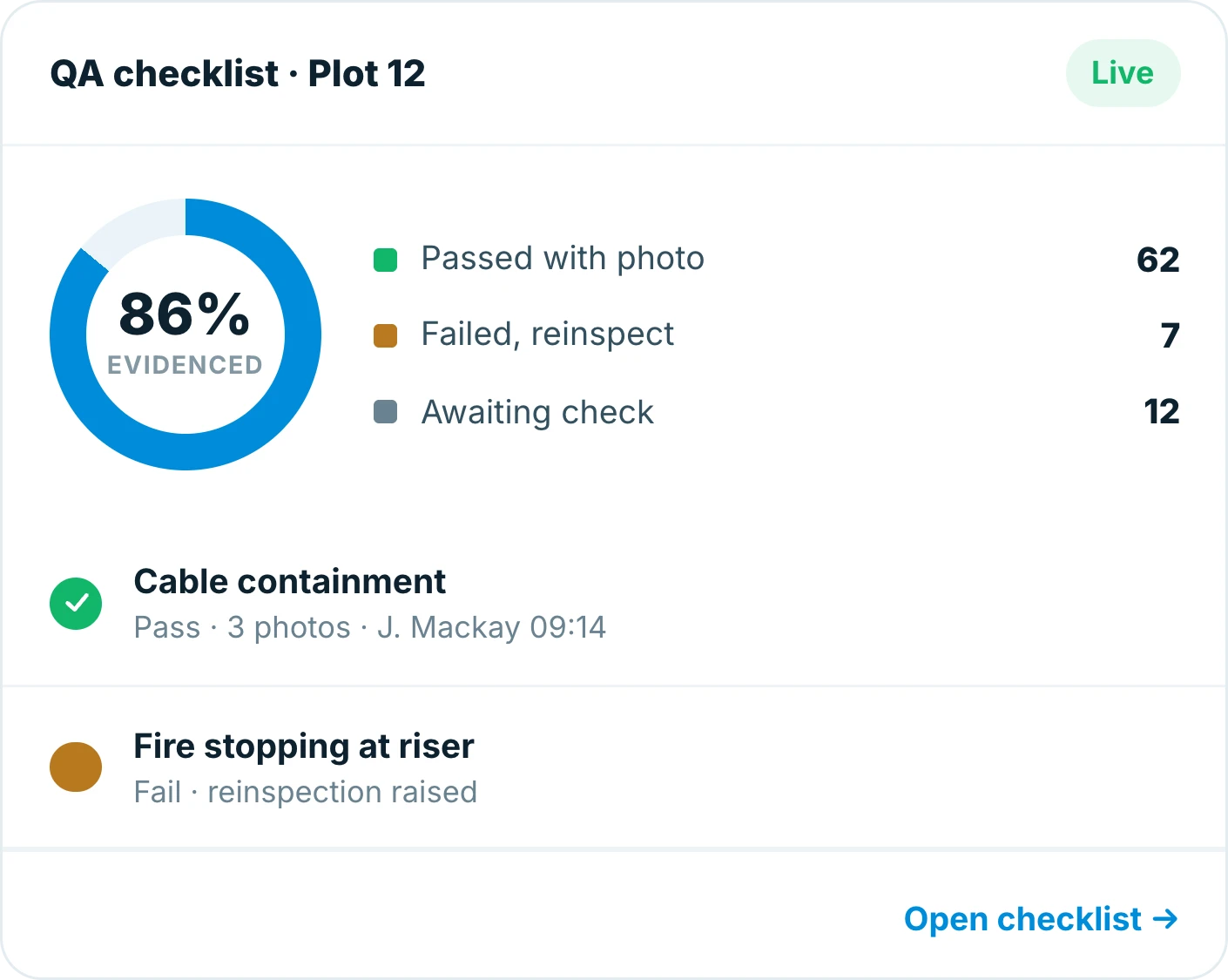
Photo evidence attached as you go
Every answer can carry a photo and a comment, so the record shows the work, not just a tick.
Photos attached to the individual check
Comments where a tick needs context
Captured at the work face, not typed up later
Oversight
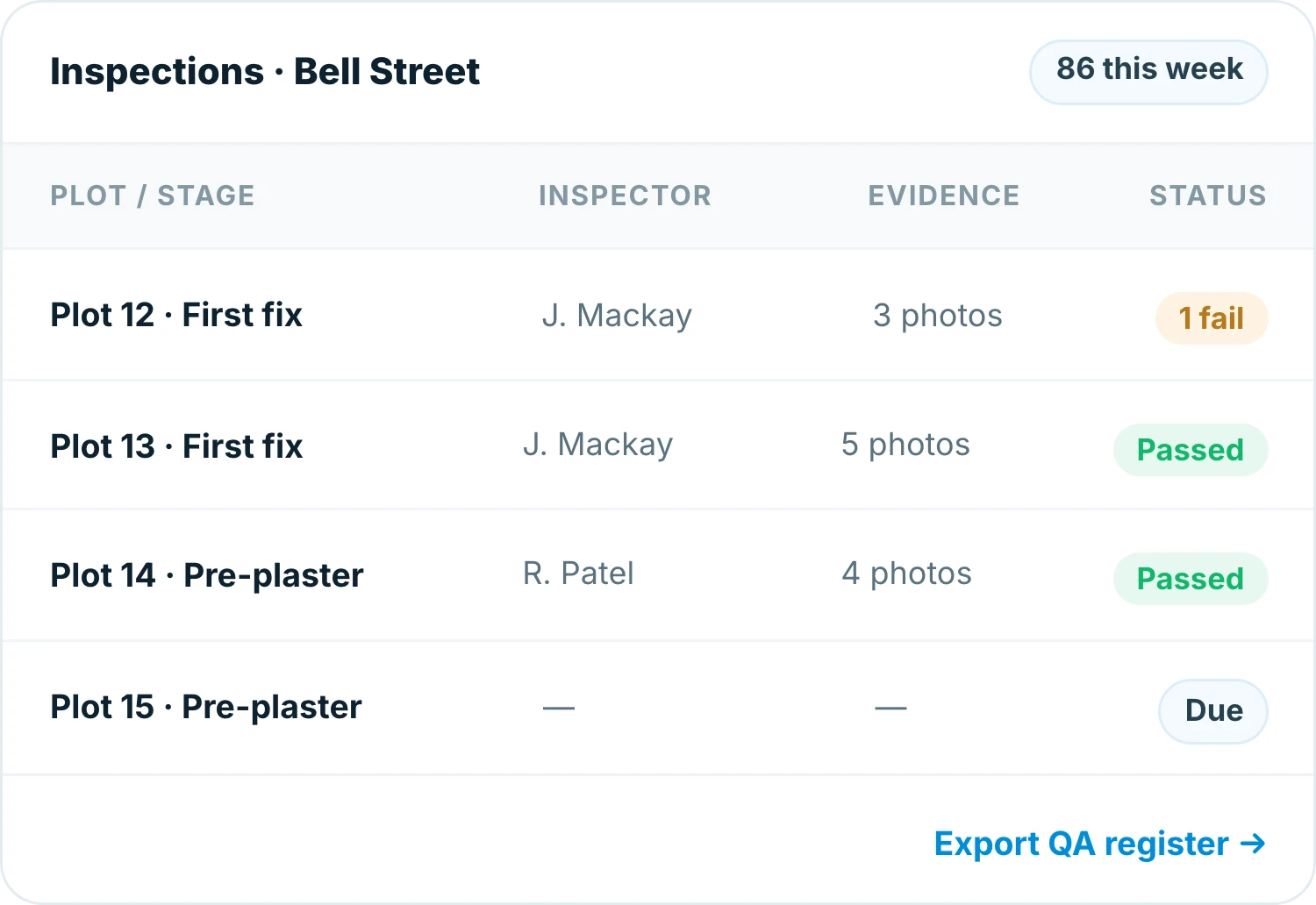
See completion across every plot
Know which plots are inspected, which are outstanding and which failed, without ringing round for an answer.
Completion by plot, level and block
Failed checks surfaced immediately
Filter by inspector, date or trade
Audit trail
A full audit trail, ready when the client asks
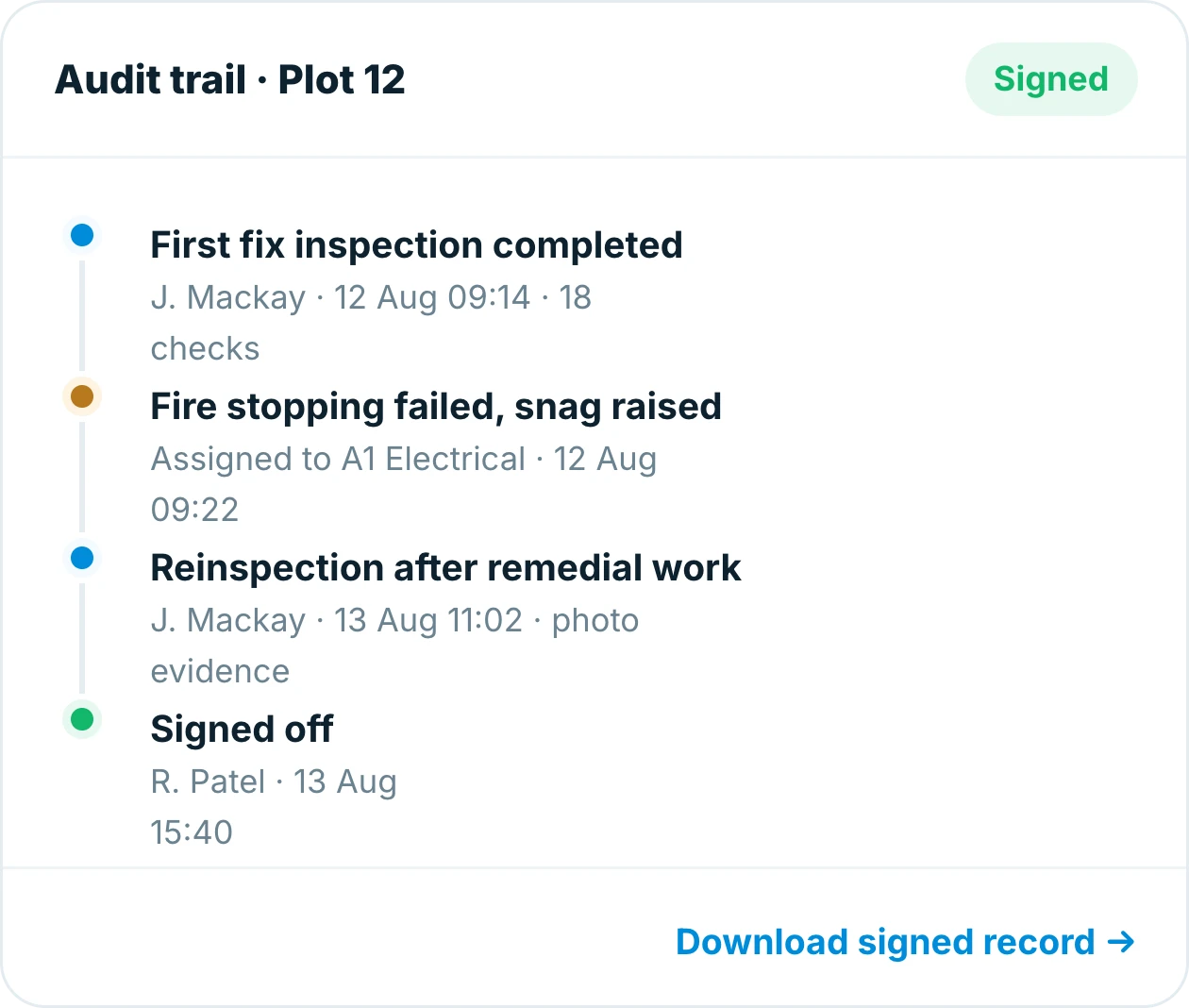
Every check is stamped with who, what and when, so the evidence is already assembled when someone asks for it.
Who inspected, when and on what
Nothing edited without a record
Exported as a client-ready PDF
Why teams switch
Built for the way site teams actually work
QA in Insite fits the inspection you already do. No clipboard, no retyping, no chasing paperwork at the end of the job.
Nothing on a clipboard
Every check in one place.
Checked at the work face
During the build, not after it.
Accountability by default
Every check has a name and a timestamp.
Proof on every answer
A photo behind the ticks that matter.
Works with no signal
Inspect in the basement, sync back in range.
Report in a tap
A live record for any plot or stage.
74%
less time spent on QA paperwork
100%
of inspections carry photo evidence
2 days
saved assembling the QA record per plot
Frequently asked questions
What is construction QA software?
QA software replaces paper inspection sheets with digital checklists completed on site. With Insite you build your own checks, complete them on a phone with photo evidence, and every answer is stamped with who checked it and when.
Does QA work offline?
Yes. Insite works offline, so inspections can be completed with no signal and sync automatically when you are back in range.
Can I build my own checklists?
Yes. Checklists are built to your wording and your pass and fail criteria, with no developer involved. Update one and it is live on every device straight away.
How does a failed check get resolved?
A failed check can be raised as a snag, assigned to the responsible subcontractor and closed out with photographic evidence, then reinspected against the same checklist.
Can I report on QA completion by plot or stage?
Yes. Completion is shown by plot, level and block, failed checks are surfaced immediately, and you can filter by inspector, date or trade and export the QA register.
Which devices does Insite work on?
Insite runs on iOS, Android and the web and works offline on site, so the same QA record is available to everyone from phone to office.
Everything in one place
Explore the rest of Insite
Fifteen site processes, one platform. Jump to the one you are fighting a spreadsheet over.