


2026-10-07 | 13 min read
tags: construction insite offline process
Offline Construction Apps: What Actually Works on Site
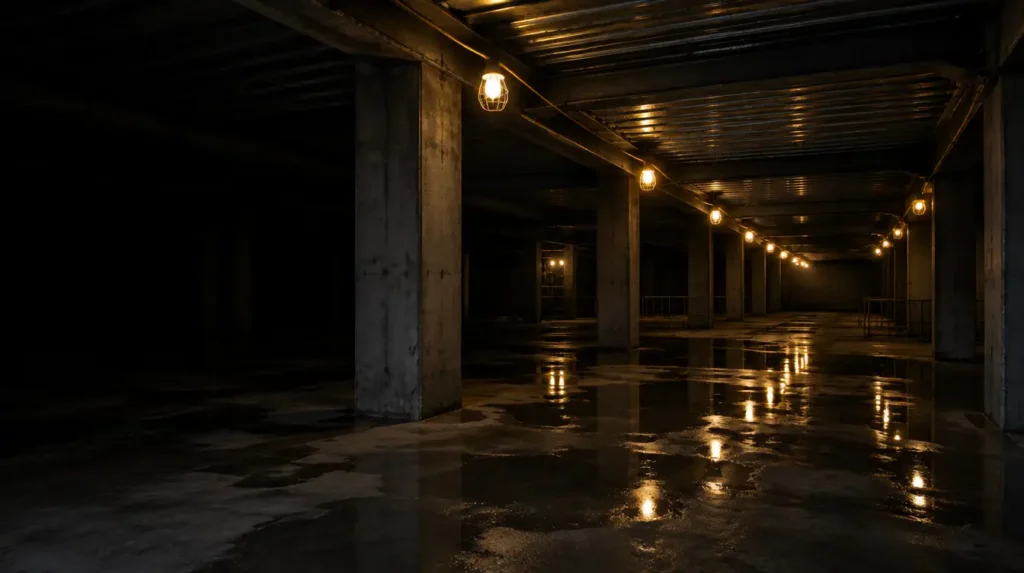
Ofcom’s Connected Nations 2025 figures put UK 4G coverage at 99% outside premises. Indoors it is 94% to 97%. Those numbers are accurate and they are almost useless to you, because a half-finished basement with a steel deck above it is neither outside premises nor inside a finished building. It is the gap the statistics do not measure, and it is where your inspections happen.
Every construction app claims to work offline. Almost all of them do something offline. The differences only show up at the worst possible moment, which is usually forty minutes into a unit inspection with thirty photos attached and no way to tell whether any of it has been saved.
This guide covers why sites lose signal in the first place, the four quite different things vendors mean when they say offline, the questions that separate a real implementation from a cached one, and how to test it in a demo so you find out before you buy rather than after. Insite was built for these conditions, and the examples throughout come from how Insite handles inspections, snagging and diaries without a connection.
Key Takeaways: Judging Offline Construction Apps
- Coverage statistics are measured outside premises or at a completed address. Neither describes a building under construction, which is why the numbers look fine and your site does not.
- Offline means at least four different things. Only one of them lets a site manager start and finish a new record with no signal and have it arrive safely.
- The question that exposes most products fastest: can you create a new inspection offline, or only continue one you opened while connected?
- Photographs are where offline implementations break, because the files are large and the queue is fragile.
- Session expiry is the hidden failure. An app that logs you out after a fixed period will do it while you are underground, and you cannot log back in.
- Ask the vendor the awkward questions rather than watching the polished demo, and ask them about photographs, restarts and session length specifically.
- Insite captures inspections, snags and diaries with no signal and syncs automatically when a connection returns, with no manual sync step for anyone to forget.
Why construction sites lose signal
It is not a network failure, and switching operator rarely fixes it. The building is the problem.
Reinforced concrete and steel frame. Dense concrete with a steel reinforcement mesh is close to the worst case for radio signal. A steel-framed structure with metal decking behaves like a partial Faraday cage: the frame you are erecting is actively shielding the space you are working in.
Depth. Basements, lift pits, plant rooms, tanked areas and service voids lose signal entirely rather than partially. There is no bar of reception to be patient with.
Shell units inside larger buildings. Retail fit-out is a particular case. A unit in the middle of a covered scheme can be forty metres from the nearest external wall, with the mall structure in between.
Metal cladding and foil-backed insulation. Both are common, both attenuate signal badly, and both get installed partway through the programme. Coverage that was adequate during first fix disappears during second fix.
It gets worse as you build. This is the one people underestimate. Signal at ground level on a cleared site is usually fine. By the time you are doing the inspections that matter, you have constructed the obstruction yourself. It is why Insite’s snagging is described in terms of the basement and the lift core rather than the site office: those are the places the work actually needs recording.
Site wifi helps and is worth having, but it is rarely complete, it rarely reaches the basement, and it tends to be installed late. Any system that quietly depends on it will be abandoned by the people who need it most.
The four things vendors call “offline”
They sound alike in a demo. They are not alike on site.
1. Cached read-only. You can view a checklist, a drawing or a list of open items that was loaded while you had signal. You cannot complete anything. This is the most common implementation and the least useful, because viewing was never the hard part.
2. Offline capture with manual sync. You can complete work offline, but somebody has to remember to press sync later. In practice, the day a record is lost is the day somebody got in the van, drove home and left the app closed. Manual sync is a process that depends on memory at the exact moment memory is worst.
3. Offline capture with automatic sync. Work continues, and the app uploads it by itself when a connection returns. This is the minimum worth paying for.
4. Offline-first. The device holds the working copy and the server is a destination rather than a dependency. The difference you notice is that nothing behaves differently with no signal: there is no degraded mode, no greyed-out buttons, no different screen. Whether you need this depends on how much of your work happens out of coverage, but it is the only version where the question stops coming up.
Insite’s inspections and quality records sit in the third and fourth categories: as their product page puts it, inspections are “captured offline in the basement, synced when back in range. Nothing is lost while you are out of coverage.”
The questions that separate them
Ten questions, in rough order of how quickly they expose a thin product.
1. Can you create a new record offline, or only continue one?
The single most revealing question. Plenty of apps let you finish an inspection you opened while connected, but cannot create a new one from a template without reaching the server first. On site that distinction is everything, because you rarely know in advance which unit you will be asked to look at. Insite customers complete monthly safety inspections with no signal and record 100% inspection completion, which is only achievable if starting a new one does not need the server.
2. Can you attach photographs offline, and how many?
Photographs are the hard part. They are large, they queue, and the queue is where implementations fail. Ask what happens at thirty photos. Ask what happens at three hundred. It is a solvable problem: Insite customers attach photographic evidence to 95% of inspection actions, most of it captured where there is no signal. Our guide on choosing construction QA software makes the related point that evidence has to attach to the item rather than the job, and that is doubly true when the evidence is sitting in an upload queue.
3. What happens when the app is closed or the phone restarts?
Site phones get closed, run out of battery and restart. If unsynced work only survives while the app is in the foreground, you will lose records and you will not find out for weeks.
4. Does sync resume after an interruption?
Signal on a site does not return cleanly. It flickers. A sync that fails halfway and starts again from the beginning will never complete on a weak connection, and the user has no way of knowing that is what is happening.
5. How long can you stay offline before it logs you out?
This is the failure almost nobody asks about and it catches real teams. If the app expires its session after a fixed period and requires the server to re-authenticate, it will do that while somebody is underground, and they cannot log back in to reach work they have already done. Ask the vendor directly how long a device can stay offline before the user is locked out.
6. Can you see what is still unsynced?
From the device, and from the office. A site manager needs to know before leaving site whether anything is still queued. An office needs to know which records exist on a phone somewhere and have not arrived. Without that, you cannot distinguish “nothing happened today” from “it has not synced yet.” Insite surfaces this through site diaries landing centrally as they are submitted, which is how a missing day becomes visible the same week rather than a year later.
7. What happens when two people edit the same record offline?
Two supervisors, same unit, no signal, both update the same item. Some systems silently keep the last one to sync and discard the other. Ask what the conflict behaviour actually is, and whether anybody gets told.
8. Can you open drawings and documents offline?
Pinning a defect to a drawing is no use if the drawing will not load in the basement. Ask whether drawings and documents are cached in advance and how much storage that takes.
9. Can subcontractors work offline too?
Your own team having offline capture is only half of it. If an assigned item can only be closed out by a subcontractor with a live connection, the close-out will happen late, from the car park, or not at all. How a system treats subcontractors is usually where adoption is decided.
10. Does it work the same on iOS and Android?
Mixed device estates are normal in construction. Offline behaviour is often implemented well on one platform and loosely on the other, and vendors demonstrate the good one.
What to ask for in a demo
Vendors demonstrate on office wifi, which is the one condition your site will not reproduce. Ask them to walk through your conditions instead.
- Ask to see a new inspection created from a template without a connection, rather than one opened beforehand.
- Ask how many photographs can be attached to a single record while disconnected, and what happens beyond that.
- Ask what survives if the app is force-closed or the phone restarts before anything has uploaded.
- Ask how a defect is raised, pinned to a drawing and assigned to a subcontractor with no connection.
- Ask whether the upload begins by itself once a connection returns, with nobody pressing anything.
- Ask to see the same behaviour on the other mobile platform, not only the one they brought.
- Ask what the longest period is that a device can stay disconnected and still be usable.
If any of that turns into “we would need to set that up separately”, you have your answer.
Red flags
- Offline is described as being on the roadmap, or only ever demonstrated on the vendor’s own wifi.
- You can view offline but not create.
- Sync is a button somebody has to remember to press.
- Photographs sync but the records do not, or the other way round.
- Nobody can tell you what happens when two people edit the same item offline.
- There is no way to see outstanding unsynced items from the office.
- The vendor talks about “jobsite” connectivity and quotes US coverage data. The UK building stock, the contract forms and the site conditions are all different.
Why Insite Is the Best Choice for Offline Site Work
Offline is not a feature Insite added to a list. It is the condition the product was designed for, because the work it records happens in basements, lift cores and shell units.
Snagging with no signal. Insite states plainly that you can “raise and photograph snags with no signal, in a basement or a lift core, and everything syncs automatically when you are back in range.” Customers using Insite’s snagging report 62% fewer defects reaching client inspection, 96% of snags closed within 48 hours and handover packs ready three weeks earlier.
Inspections completed underground. Insite’s answer on monthly safety inspections is direct: inspections can be completed with no signal and sync automatically when you are back in range. Customers record 100% inspection completion with 95% of actions carrying photographic evidence.
Site diaries filed from the cabin. Daily diaries work without a connection and synchronise when one returns, which is part of why Insite customers submit 98% of diaries on the day rather than writing the week up on a Friday.
RAMS signed at the gate. RAMS sign-off is checked at site sign-in and captured on the device, so the record exists at the moment the briefing happens rather than when somebody next finds signal.
Automatic, not manual. Nothing in Insite depends on a person remembering to press sync. Work is captured on the device and uploaded by itself once a connection returns.
iOS, Android and web. The same behaviour across the mixed device estate you actually have, rather than the one the demo was built on.
Frequently asked questions
Do construction apps really work without signal?
Some do and some only appear to. The distinction that matters is whether you can create and complete a new record with no connection, attach photographs to it, close the app, and have everything upload by itself later. Many products only cache existing records for viewing, which is not the same thing.
Why is there no mobile signal on construction sites?
Reinforced concrete, steel frames, metal decking, cladding and foil-backed insulation all attenuate radio signal heavily, and basements, lift cores and plant rooms lose it entirely. The structure being built is itself the obstruction, so coverage usually gets worse as the programme progresses.
What is the difference between offline capture and offline-first?
Offline capture means the app has a mode for working without a connection. Offline-first means the device holds the working copy and the server is where it is sent, so there is no separate degraded mode at all. Offline-first behaves identically with and without signal.
How do I test whether an app works offline?
Ask the vendor to show a new record being created with no connection, several photographs attached to it, the app closed and reopened with the work still intact, and the upload starting by itself once a connection returns. The answers to those four things tell you most of what you need to know.
What happens to photos taken offline?
In a good implementation they are stored on the device, attached to the specific record, and queued for upload with the sync resuming after interruptions. In a weak one they sit in a fragile queue that can fail silently, or they are saved to the camera roll with nothing linking them to the inspection.
Can subcontractors close out items offline?
In some systems yes, in others no. It is worth asking specifically, because if an assigned item needs a live connection to close, the close-out will be done late or skipped, and your records will show open items that were actually finished weeks earlier.
Does offline working affect the audit trail?
It should not. Entries should be time-stamped when they were made rather than when they synced, and attributed to the person who made them. Ask the vendor which timestamp is recorded, because an upload time rather than a capture time weakens the record considerably when it is needed as evidence.
Where to start
Start with the first question on the list, because it eliminates more products than the other nine combined: can a site manager create a new record with no connection, or only continue one that was opened in range?
Then ask about photographs and about how long a device can stay disconnected before it locks the user out. Anything that holds up against those three will probably hold up in a basement at four o’clock. If you want the wider buying criteria around this one, our guide on choosing construction QA software covers the other nine things worth asking about, and how site diaries hold up as evidence covers what happens to records captured this way when a claim arrives.
If you want to see how Insite works offline across inspections, snagging and diaries, the product pages walk through it.
